Champion Rulebook
BRANDING | DESIGN RESEARCH | MOBILE APP

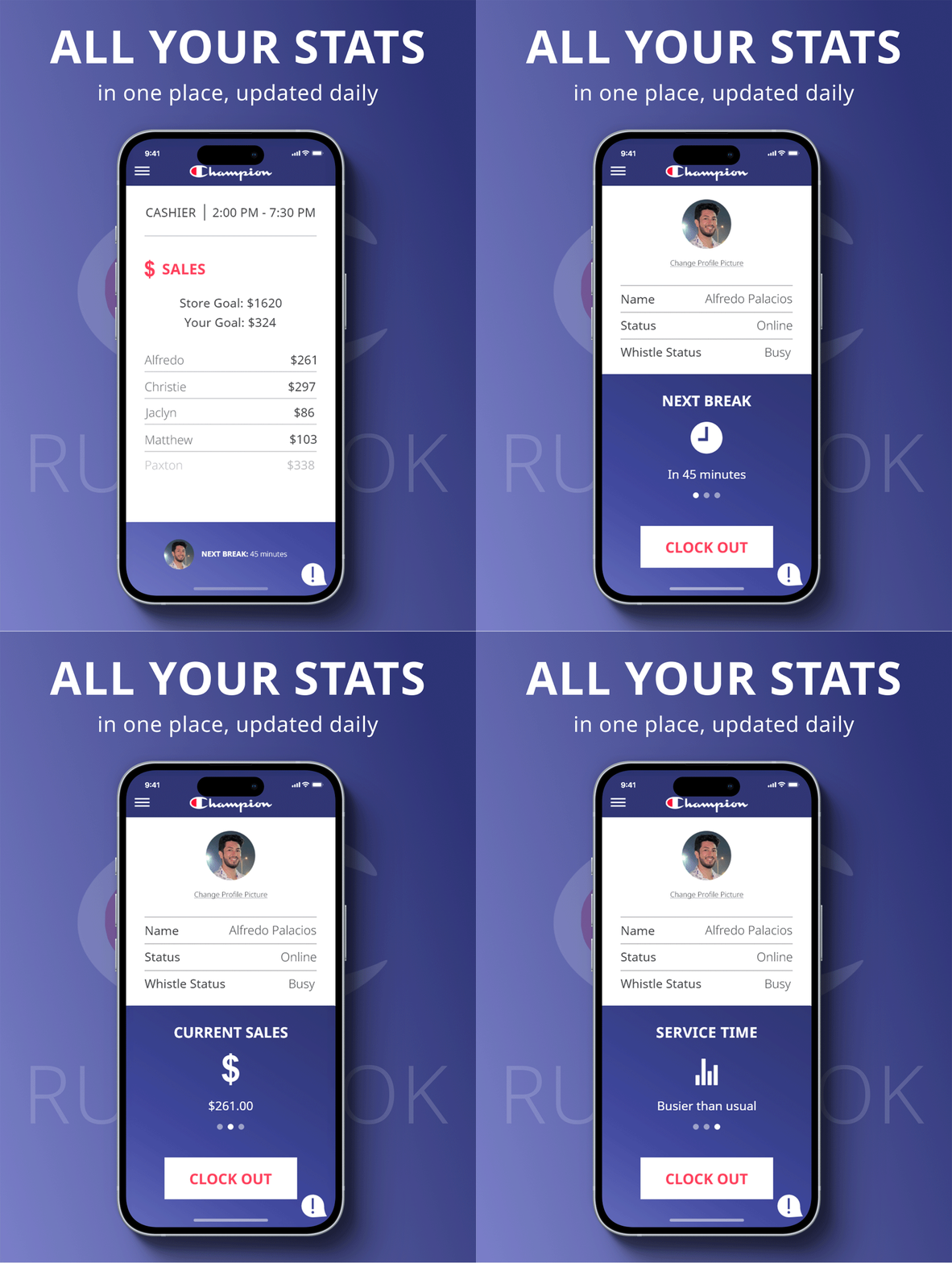
The Champion Rulebook is an internal mobile app concept designed to support retail workers in their day-to-day operations. With features like time tracking, sales goal monitoring, and direct manager messaging, the app lightens the workload of in-store employees, especially during peak retail stress.
DESIGNING THE EXPERIENCE
As a former Champion retail employee, I designed a mobile app that addresses real workplace challenges: starting with the tedious new POS clock-in process. The app streamlines communication, scheduling, and goal tracking; offering a smart, versatile tool to empower frontline workers.
WHO WE’RE SPEAKING TO
Retail workers across Champion stores, from floor staff to assistant managers, seeking efficient, intuitive tools to manage their workday.
DESIGN/USER RESEARCH
Alfredo Palacios
BRANDING
Alfredo Palacios
UI DESIGN
Alfredo Palacios
COPYWRITING
Alfredo Palacios
TRUST THE PROCESS
Before landing on a visual brand for the app, I first defined the core parameters:
Who is this app for?
What problems does it solve?
How will it solve them?
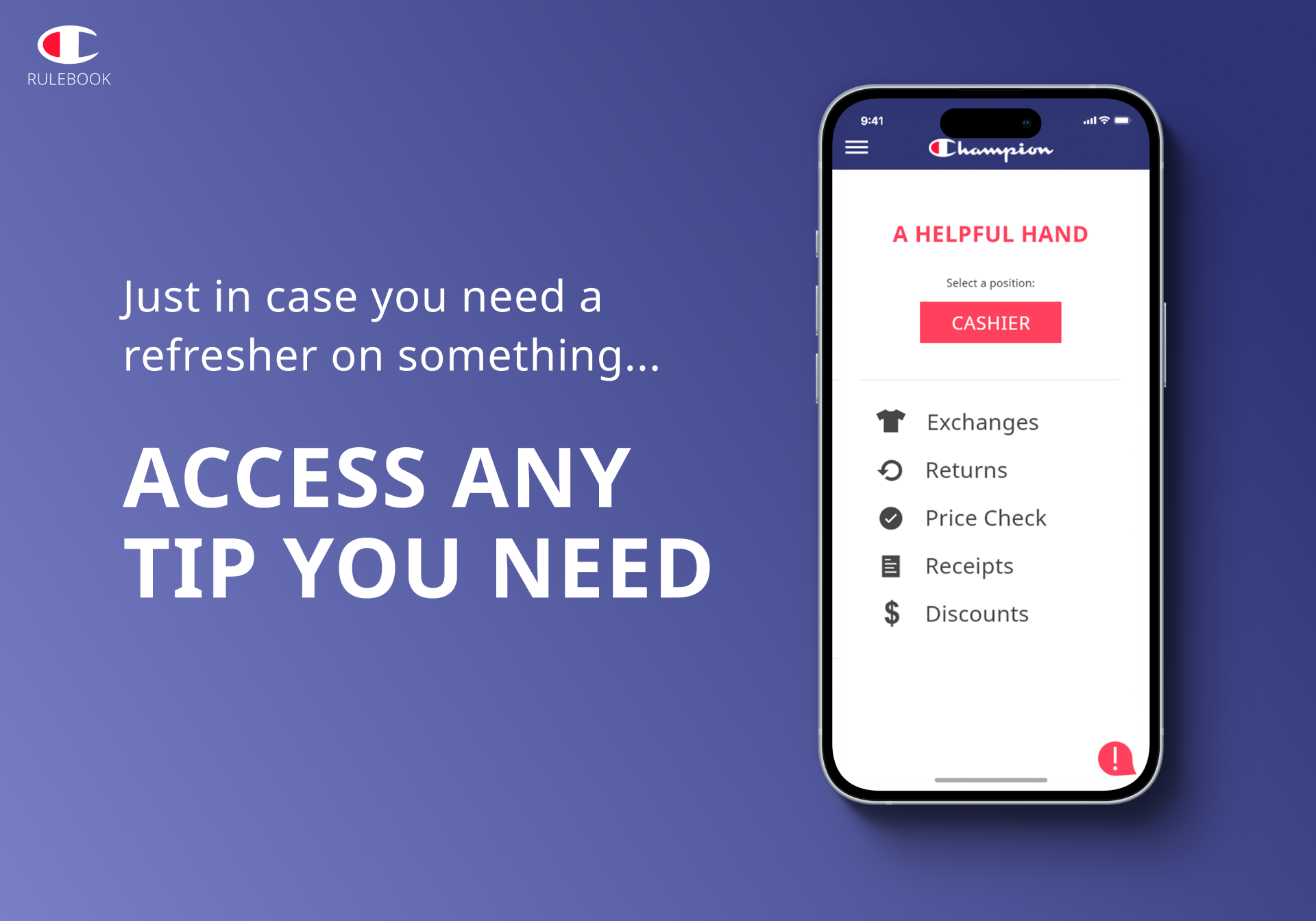
This app is designed for all Champion retail workers, regardless of role. Key issues included a lengthy system login, lack of centralized communication, and no easy access to a “source of truth” for store procedures. Using IBM’s Enterprise Design Thinking framework, I grounded the project in user intention and real-world needs.
Initial research began by gathering assumptions and feedback from employees around the newly introduced P.O.S. system.


I conducted interviews with Champion employees (managers, sales associates, and others) to identify recurring pain points. Empathy Maps for each interviewee were created to find overlapping patterns/pain points, and opportunities for improvement.
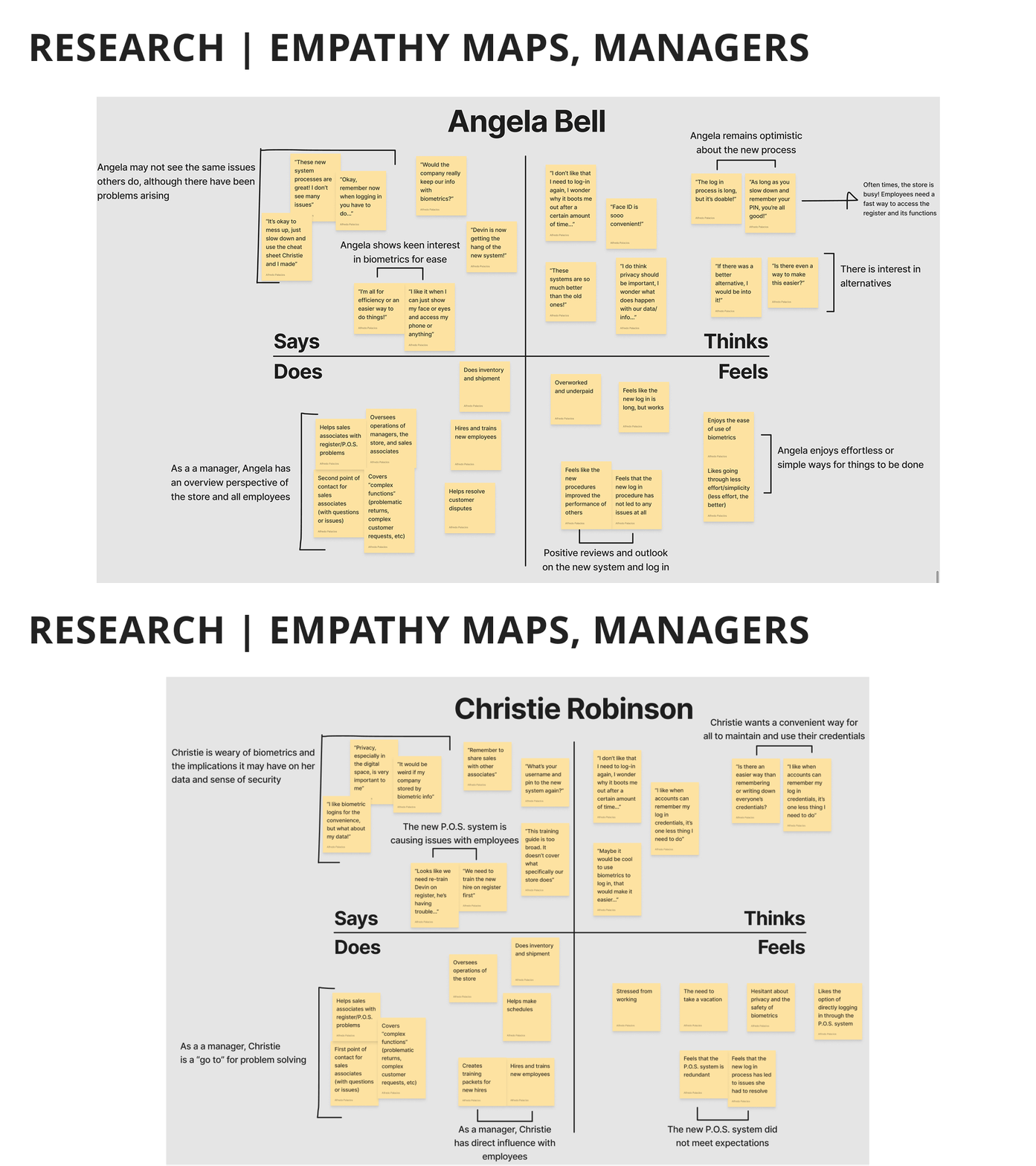
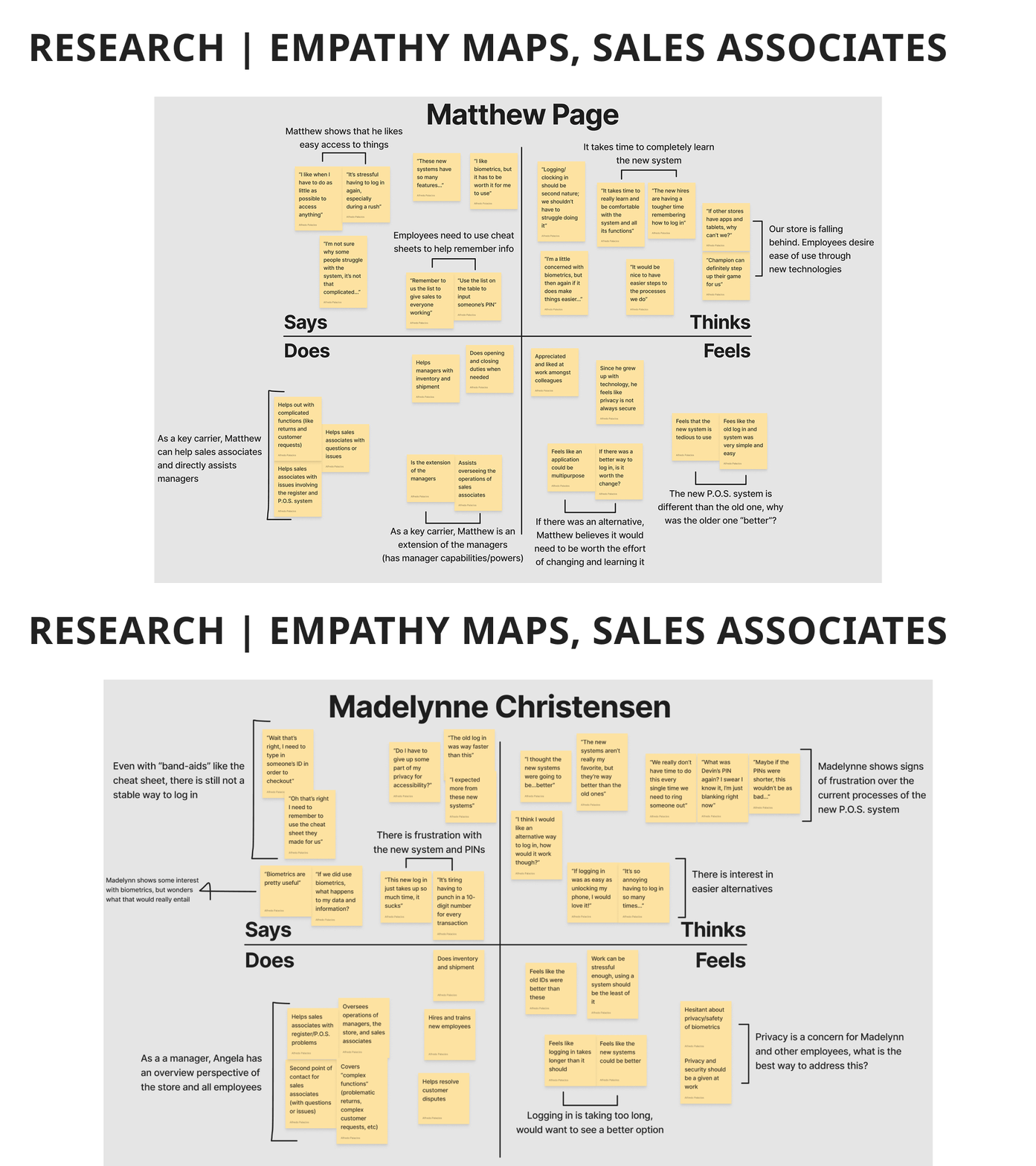
From the interviews, I crafted “Needs” statements based on recurring themes. This helped prioritize user requirements and ensure a smoother, more intuitive experience.
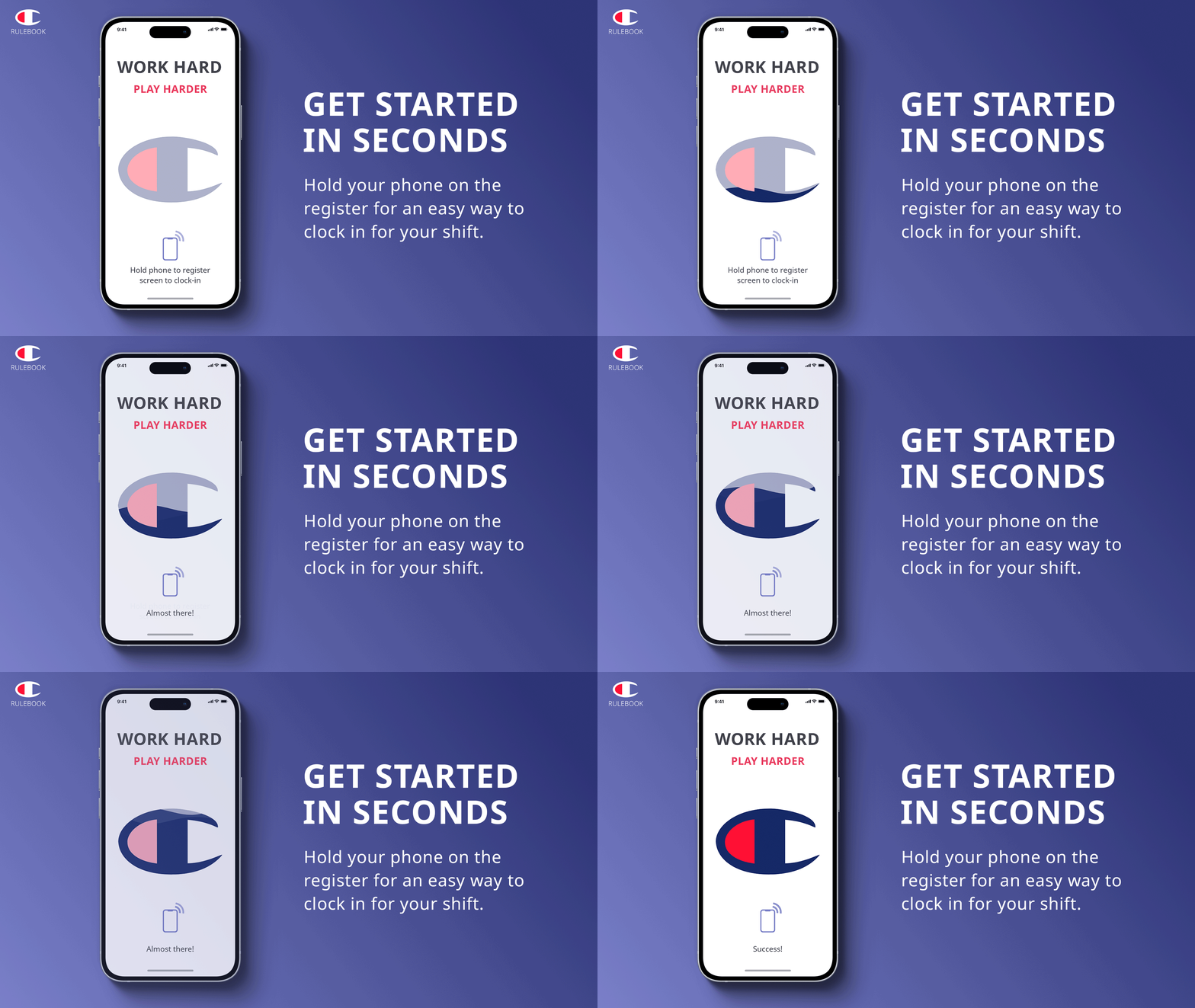
The top need across roles: a simple, efficient log-in process.


IDEATION AND APP DIRECTION
Through a round of “How might we…” questions, I identified the opportunity for a mobile app: a centralized platform where employees can access key functions with ease.
This also revealed secondary needs, like tailored pathways and experiences based on employee level, and the importance of personalization.
LOOKING FOR A DEEPER DIVE INTO THE FULL RESEARCH?
BRANDING FIT FOR CHAMPIONS

A gradient was created to give the application a light refresh in order to stand out against other Champion touchpoints (in-store signage, P.O.S. system visuals, etc)
Noto Sans in varying fonts helps tie together a cohesive identity
CREATIVITY IN ACTION
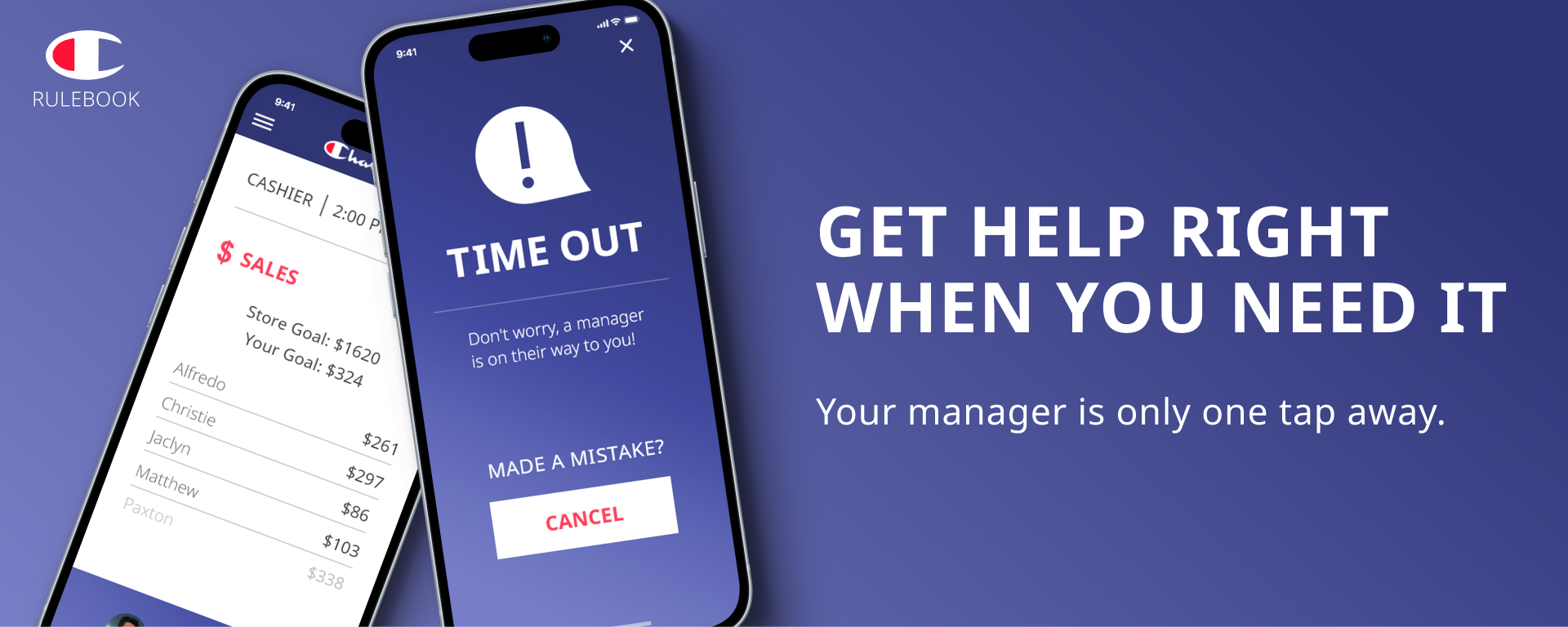
The result: a modern, casual-toned mobile app that supports Champion retail employees across their shifts. NFC-enabled clock-ins streamline the login process, while features like shift stats, internal messaging, and an emergency “panic” button empower employees, all in just a few taps.